How to Get Your Deepgram API Key
Follow this simple guide to create your free Deepgram account and get your API key for TranscribeFlow.
How to Get Your Deepgram API Key
$200 Free Credit
~450 hours of audio
No Card Required
Sign up for free
Nova-2 Model
Industry-leading accuracy
How long will I get it as free?
When you sign up for an account without a credit card, you receive $200 in credits to use for our speech-to-text API.
Usage Details
Key Calculations (Nova-3 Monolingual)
Above values are based on per account basis.
Go to Deepgram Console
Visit the Deepgram website and click on "Get Started Free" or go directly to their console.
Open Deepgram Console →Create Your Account
Sign up using your email, Google, or GitHub account. No credit card is required for the free tier.
💡 Use your work email for a smoother experience
💡 GitHub sign-in is fastest
Access the Dashboard
Once logged in, you'll see your dashboard with $200 in free credits already applied to your account.
Create an API Key
Navigate to Settings → API Keys → Create New Key. Give it a name like "TranscribeFlow" and copy the key.
Make sure to copy your API key immediately - you won't be able to see it again!
Add to TranscribeFlow
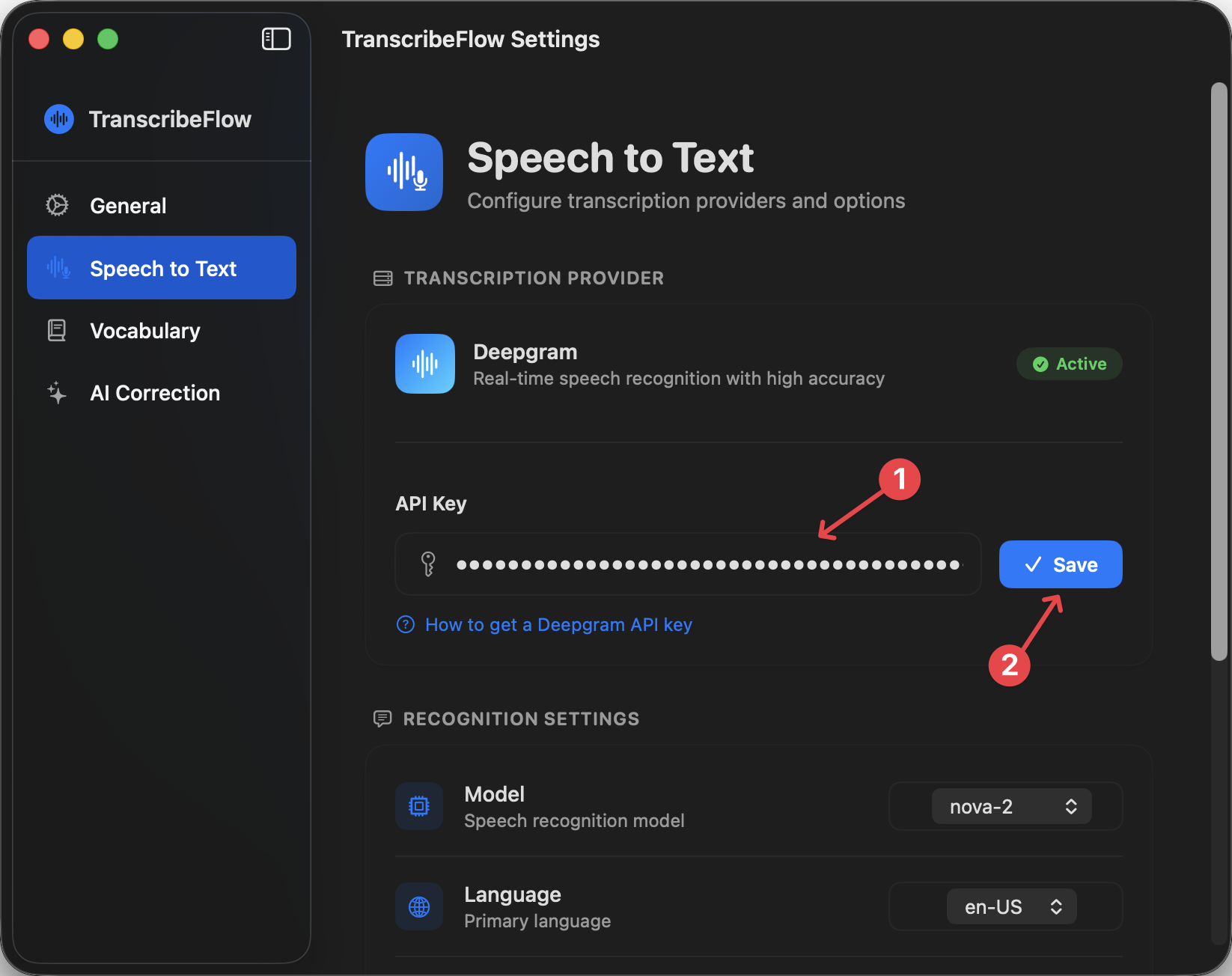
Open TranscribeFlow app, go to Speech to Text Settings, and paste your Deepgram API key in the designated field.
Where to paste in TranscribeFlow
Need help with Gemini API too?
Set up Gemini API Key